Retrofitting vs. Rebuilding: Can Your Current Warehouse Handle Automation?
Blogs
Managing warehouse performance is a stressful responsibility. Order volumes keep climbing, customer expectations keep tightening and your building constantly seems to fight you. However, breaking ground on a new facility might feel unrealistic once you factor in cost, permitting delays and the risk of disrupting operations.
That tension fuels a persistent misconception that automation only works in brand-new warehouses. While most U.S. warehouses predate this technology, many are well-positioned for modernization. As new warehouse construction slows down and retrofit activity accelerates, the real question becomes whether your existing building is a barrier or an opportunity. This guide breaks down how to confidently make that choice.
Decision Factors That Influence Retrofitting or Rebuilding
Analyze how your operations balance cost exposure, disruption tolerance, speed requirements, labor stability and physical growth limits. These four factors determine whether automation will work within your current building or if a new facility is the only viable option.
1. Capital Expenditure vs. Operational Disruption
New construction concentrates your spending up front, while retrofits expose you to operational disruption resulting from unexpected downtime. The financial risk is different, but you can’t afford to execute either option poorly.
New construction typically requires:
- Land acquisition, site preparation and utility extensions
- Building shell, slab pours and structural steel sized for automation loads
- Automation and material handling installed in completed construction
- Inventory relocation and parallel operations during cutover
Retrofits shift cost into your day-to-day operations, where disruptions show up indirectly as:
- Temporary loss of pallet positions during racking removal or reconfiguration
- Reduced pick rates when aisles or zones are offline
- Electrical shutdowns for panel, feeder or charger upgrades
- Short-term inefficiencies caused by re-slotting and interim workflows
2. Time-to-Value
Retrofit timelines vary based on scope, permitting and system complexity. Many brownfield automation projects achieve stable production within six to 12 months after design completion, depending on how much infrastructure work they require.
Timeline drivers that extend retrofit schedules include:
- Electrical service upgrades or transformer replacement
- Floor remediation across multiple travel zones
- Fire protection modifications tied to new racking or mezzanines
- Integration with existing warehouse management systems
- Phased cutovers needed to maintain daily shipping and operations
Greenfield automation projects take 18 to 24 months after construction begins. Design, engineering, permitting and utility coordination can add extra months before installation starts.
3. Labor Availability
Labor stability often carries more risk than the building. Retrofitting allows you to keep your experienced operators in a location they already commute to and are familiar with.
Keeping your current workforce supports your automation efforts by:
- Preserving process knowledge and operational rhythm
- Reducing onboarding time for automated workflows
- Limiting turnover during system ramp-up
- Avoiding competition in unfamiliar labor markets
Relocating to a new facility introduces uncertainty. Operations may rely on new hires, retrained teams or a mix of both to implement automation. Either way, this can delay performance even after automation goes live.
4. Scalability Requirements
Some warehouses may be unable to scale once they reach physical limits like ceiling height, floor strength or site size. However, inefficient space use makes many warehouses appear to be at their maximum even when they aren’t. Inefficient layouts, racking and aisle widths waste valuable square footage, so capacity may feel limited even when you create more room by improving density.
What are some leading indicators that retrofit scalability may be feasible?
- Sufficient clear height for mezzanines or vertical storage systems
- Floor load capacity that supports multilevel platforms or automation
- Fire protection systems that are candidates for upgrades instead of replacement
- Aisle geometry that allows densification or automated movement
Increasing automation density won’t solve the issue if you’ve already pushed ceiling height, floor loading and site boundaries to their limits. At that point, rebuilding may be the only long‑term path forward.
Analyzing Your Warehouse Type for Retrofit Potential
Warehouse automation success depends on a facility’s purpose, not only its age. Each warehouse type presents different physical constraints and material flows. Those distinctions determine whether a retrofit is practical and where automation delivers optimal value.
Distribution Centers
Many distribution center designers originally incorporated wide aisles to accommodate traditional forklifts. Over time, these aisles became a liability by consuming floor space and increasing travel distance.
High-density retrofit opportunities in DCs often include:
- Converting wide aisles to narrower configurations using rail-guided or wire-guided trucks
- Replacing selective racking in high-volume lanes with shuttle-based or automated pallet storage
- Increasing vertical storage density where ceiling height and sprinkler coverage allow
- Adding automated pallet buffers near shipping to reduce dock congestion
Cross-Docking
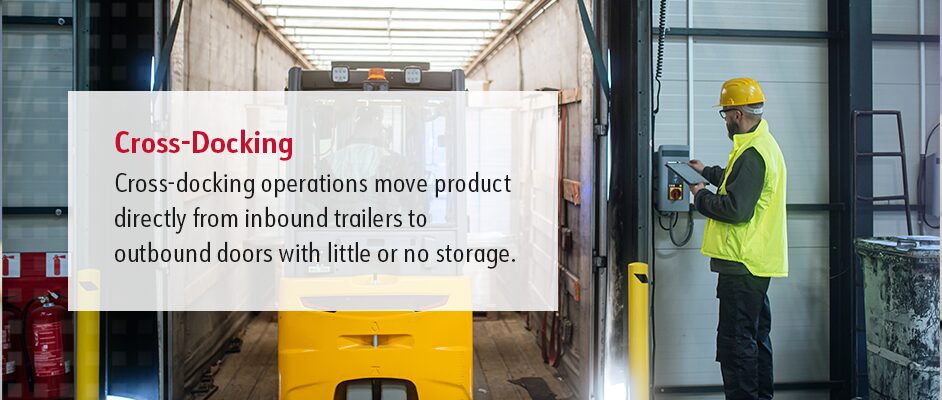
Cross-docking operations move product directly from inbound trailers to outbound doors with little or no storage. Retrofit work targets speed, door balance and staging control instead of storage density.
Retrofit planning for cross-docking focuses on:
- Aligning inbound and outbound dock doors to reduce trailer-to-trailer travel
- Sizing staging lanes for short dwell times instead of pallet storage
- Designing conveyor or autonomous mobile robot paths for straight-through movement
- Positioning scan and sort points near dock doors to limit handling
- Applying dock scheduling rules that prevent inbound surges from blocking outbound flow
Fulfillment Centers
Fulfillment centers depend on fast, accurate order processing across a broad SKU mix. Retrofitting here prioritizes speed through picking, sorting and packing instead of bulk storage density.
Consider using these fulfillment retrofit strategies:
- Goods-to-person stations integrated into the existing pick modules to reduce walking
- Compact sortation system designed to fit within current layouts
- Automated buffering zones to absorb volume spikes during peak periods
- Reconfigured packing cells to increase carton throughput
Cold Storage, Food and Beverage
Cold storage facilities present environmental challenges that directly impact batteries, sensors and mechanical components.
Cold and food-grade environments require multiple retrofit considerations:
- Condensation management to protect controls and sensors
- Battery performance degradation in sustained freezer conditions
- Heated enclosures for chargers and control cabinets
- Cold-rated robotics for operation in subzero environments
Assessing Power and Infrastructure Readiness
Power availability, floor condition, wireless performance and structural layout define the operating limits for automation. These factors set maximum robot speed, charger placement, traffic routing and uptime long before software logic gets involved.
Floor Quality Standards
Autonomous mobile robots use LiDAR, vision systems and inertial measurement units to calculate position, speed and stopping distance. Floor flatness and floor levelness affect how consistently those calculations remain accurate over time.
What floor-related issues can create operational faults?
- Longitudinal cracks wider than the manufacturer’s tolerance that interrupt LiDAR surface mapping
- Differential slab settlement that introduces pitch and roll errors during acceleration and braking
- Expansion joints with height variation that cause repeated vibration events and wheel slip
- Floor patches with different friction coefficients that affect the stopping distance
- Slab heave near exterior walls caused by temperature and moisture changes
AMR pathing assessments typically measure deviation over distance, not surface appearance, with remediation focused on travel corridors, docking zones and high-speed intersections.
Power Capacity
Automated systems place sustained electrical demand on infrastructure. Charging stations, conveyor motors and control cabinets draw predictable currents across full shifts, which may strain power systems.
Power limitations commonly identified during site assessments include:
- 200-amp services unable to support simultaneous fast-charging cycles
- Main distribution panels already operating near maximum load before automation
- Transformers sized for lighting and receptacles rather than continuous motor draw
- Voltage drop exceeding the allowable limits at end-of-line chargers
- Inadequate separation between clean power and motor circuits
- Insufficient grounding for control electronics and sensors
Connectivity Blind Spots
Automated fleets depend on uninterrupted data exchange for assignment, traffic control and fault reporting. Older facilities introduce signal interference through structure and inventory density.
Connectivity failures typically originate from:
- RF attenuation caused by steel racking and palletized products
- Shadow zones created by closely spaced columns and beams
- Access point placement above roof steel rather than below rack level
- Network congestion during shift changes or peak device usage
- Latency introduced by shared networks supporting nonoperational traffic
Column Grid Limitations
Column spacing defines the physical limits of fixed automation. Older buildings often use irregular grids that restrict straight-line material flow.
The following column-related constraints affect automation design:
- Offset column rows that prevent straight conveyor runs
- Tight spacing that limits fixed turn and merge points
- Clearance requirements that reduce usable aisle width
- Structural members that block the sensor’s sight line
- Inconsistent bay dimensions that complicate standard module placement
How Designing for Demand Drives Retrofit Success
Demand data determines whether an existing layout can support automation without forcing structural changes. When teams evaluate retrofitting versus rebuilding, influencing factors include measured order flow, travel distance and task timing across daily operations.
Data-Driven Layouts
Base layout decisions on picking frequency and how much handling effort they create. SKU velocity analysis applies the 80/20 rule to rank inventory by actual activity rather than by size, weight or storage type.
Use information like this to plan your layout:
- Pick frequency per SKU by shift, day and week
- Total touches per SKU, including picks, replenishments and relocations
- Order line overlap showing where workers pick SKUs together
- Slot dwell time, or how long inventory stays in one location
- Seasonal demand swings that change pick density and congestion
Bottleneck Identification
Apply automation in the areas where work consistently slows or piles up. Find those bottlenecks by reviewing time studies, analyzing system logs and observing the process firsthand instead of relying on assumptions.
High-friction areas may include:
- Increasing travel time between pick zones and packing stations
- Creating manual consolidation points where orders wait for completion
- Requiring repeat pallet transfers between reserve storage and outbound staging
- Causing dock staging lanes to queue during peak release windows
- Forcing replenishment paths to cross active pick traffic
Simulations
Digital twin models recreate the warehouse inside software using real measurements, inventory behavior and task timing. Test proposed layouts against existing constraints before making physical changes.
Simulation models typically test:
- Worker and equipment travel distance per order
- Queue buildup at transfer and handoff points
- Robot traffic interaction with people and forklifts
- Charger placement and charging cycle impact
- Throughput under peak volume and labor limits
Phased Implementation
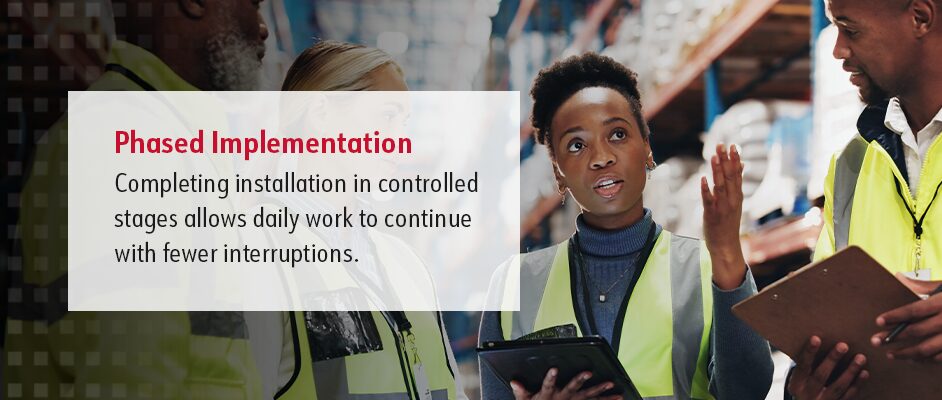
Completing installation in controlled stages allows daily work to continue with fewer interruptions. Each phase targets a defined zone while the surrounding areas remain unchanged.
Your phased rollout might unfold like this:
- Selecting a single zone with measurable delay or congestion
- Running automated and manual processes in parallel
- Monitoring pick rate, queue time and error rate during rollout
- Adjusting slotting, routes or staffing before expansion
- Advancing to the next zone only after performance stabilizes
Modular Systems — The Retrofit Secret Weapon
Modular automation systems operate inside existing buildings with uneven floors, fixed columns and changing layouts. These systems rely on software and sensors rather than permanent building changes.
Infrastructure-Free Navigation
AMRs use LiDAR sensors and simultaneous localization and mapping to build a live map of the facility. The robot compares real-time sensor data against that map to determine position and movement.
In facilities where restructuring is not feasible, this technology offers a means to implement automation within existing constraints.
This navigation system has multiple technical characteristics:
- Reading walls, rack faces, columns and fixed equipment with LiDAR scanners
- Updating position without floor markers using simultaneous localization and mapping algorithms
- Tolerating small cracks, joints and patched concrete during navigation
- Adjusting speed based on surface condition and traffic density
Vertical Lift Modules
VLMs store inventory vertically by delivering trays to an operator opening. These systems are ideal in facilities with limited floor space and available height.
VLM performance characteristics include:
- Recovering extra floor space compared to static shelving
- Adjusting storage density based on ceiling height and tray size
- Supporting high-mix, low-volume SKUs
- Limiting handling errors through controlled access
Actual space savings will vary based on the building’s height, SKU dimensions, tray configuration and existing shelving layout.
Portable Conveyance
Portable conveyance systems use modular rollers, belts and adjustable frames that allow repositioning without anchoring. Power and controls are typically plug-and-play.
Mobile conveyor systems have several noteworthy features:
- Adjusting height and angle to match docks or workstations
- Locking casters to provide stability without slab penetration
- Using section-based layouts to allow rapid configuration
- Isolating faults with independent drive sections
- Avoiding panel rewiring through temporary electrical connections
Asset Portability
By design, modular automation equipment disconnects at defined interfaces. Electrical, data and mechanical connections follow standard connection points.
Portability-related design elements include:
- Using quick-disconnect power and network connections
- Sizing frame systems for standard transport
- Transferring software licenses between sites
- Minimizing reliance on building-mounted hardware
- Reinstalling equipment without structural modification
Exploring Your Warehouse Automation Options With Arnold Machinery Company
Many warehouses feel too old, small or cluttered to automate. But the limits usually come from layout, power and flow decisions, not the building. By looking at demand data, infrastructure readiness and modular automation options, teams can see what their current facility can realistically support before assuming a rebuild is the only answer.
If you’re comparing retrofitting to rebuilding or wondering if your current warehouse can handle automation, a focused evaluation can clarify your choices. Arnold Machinery Company supports the process with experienced associates and our Silver Service® approach.
Contact us to schedule a walk-through of your facility and see what’s possible inside your existing warehouse. We’re here to help with tailored solutions backed by exceptional customer service.

Subscribe for Updates